
FontPreview
See your text in every font on your Mac.
Type it once. FontPreview sets it in every installed font, side by side, and tells you which ones can't show it.

Paid app · macOS 12 Monterey or later · Apple silicon and Intel · No account, no network, nothing collected.
The idea
A font menu only shows you names
You have the words already: a headline, an invitation, a name for the shop. What you don't have is the font, and scrolling a font menu means guessing what Baskerville or Futura would do to your words, one name at a time.
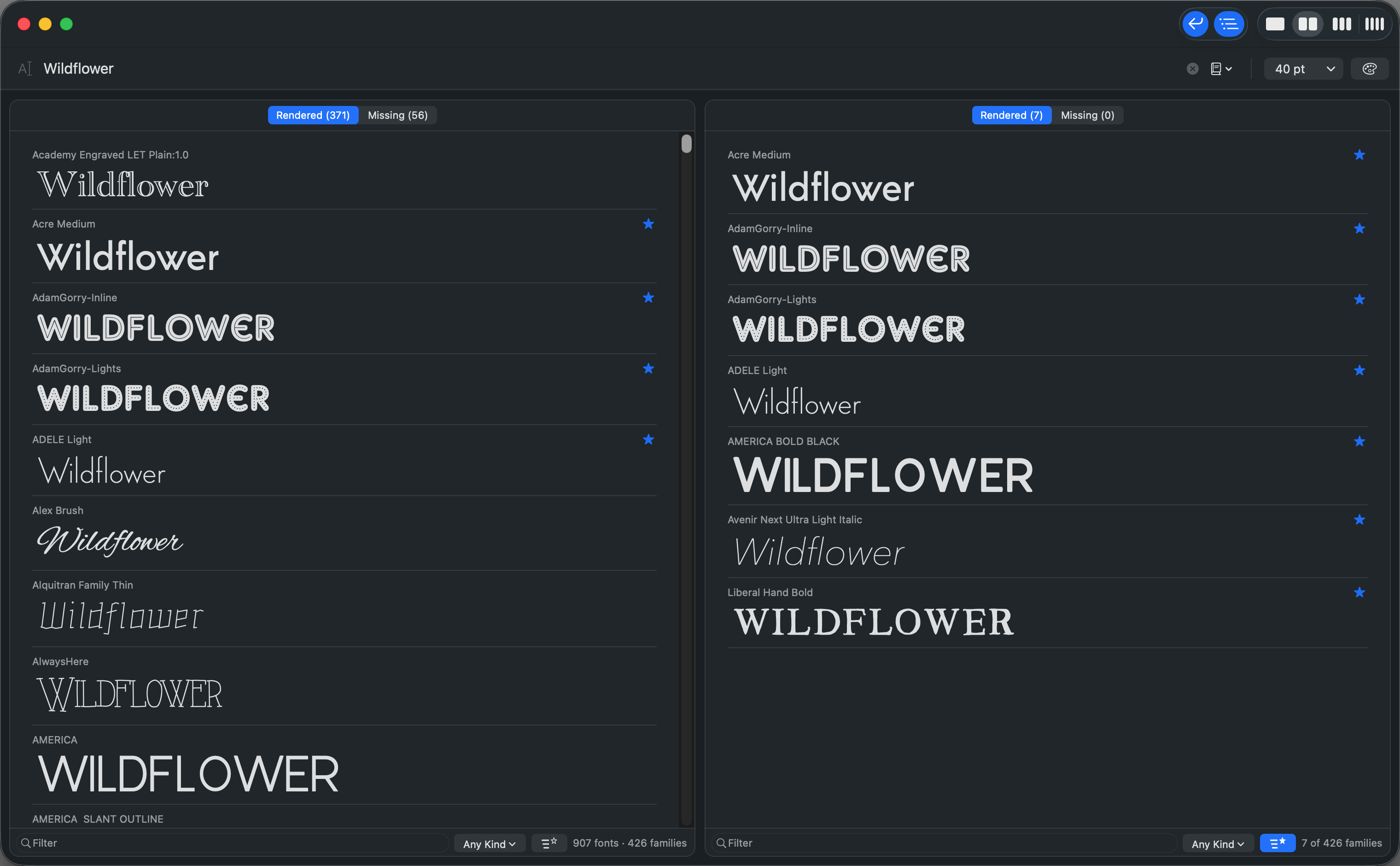
FontPreview turns that around. Type your words once and every font on your Mac sets them, at the size you choose, in columns you can scroll. You are looking at your text, not at font names, and the right one tends to announce itself.
Families
One row per family
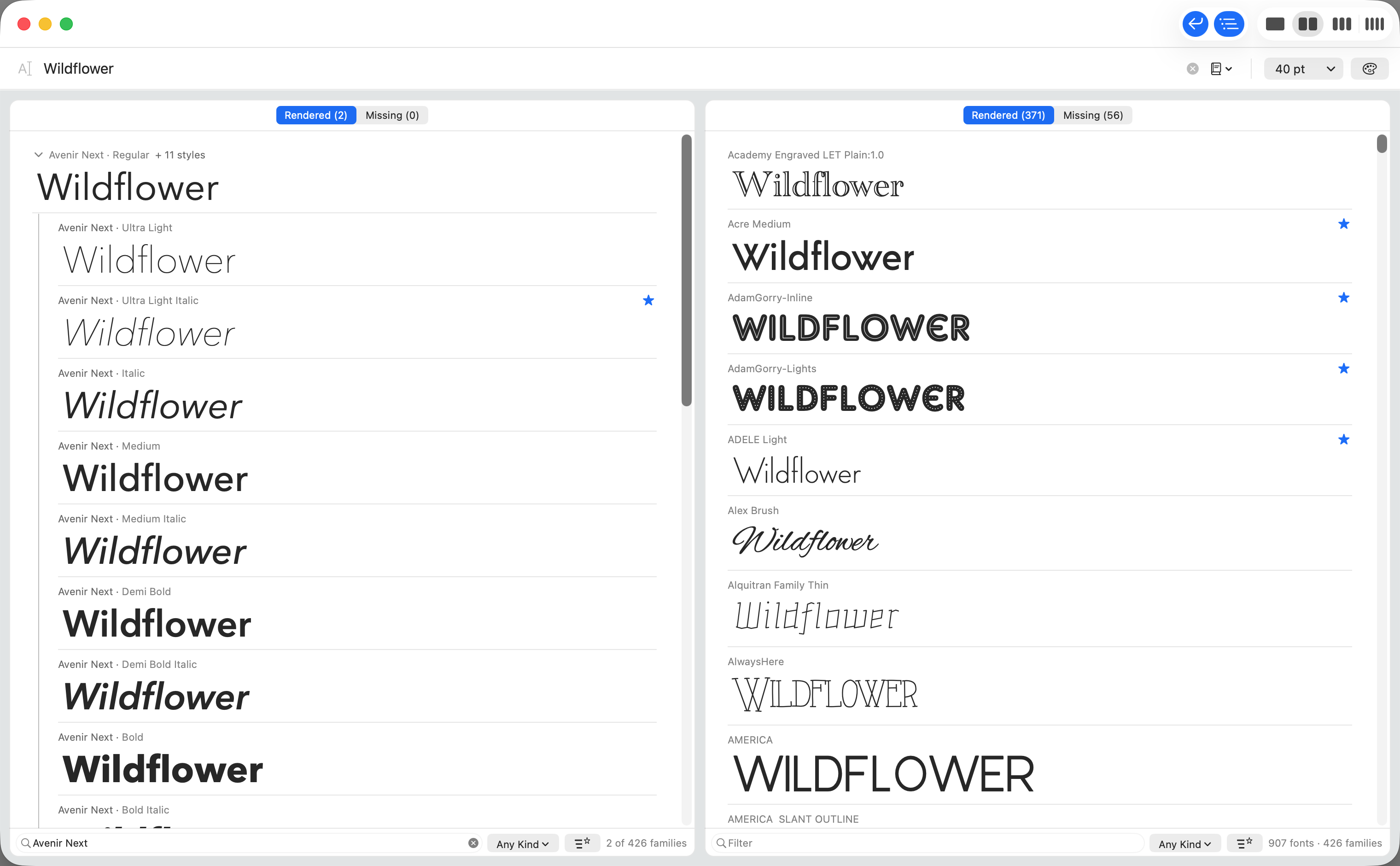
Avenir Next is twelve fonts; you see it once, in its regular style, with the other eleven a click away. Open a family with the chevron or the right arrow, close it with the left, and open or close every family at once from the View menu.
The list runs family by family, from the lightest upright to the boldest italic, and a switch in the toolbar shows every font on its own row instead, if that is the list you prefer.
Paragraphs
Headline or paragraph
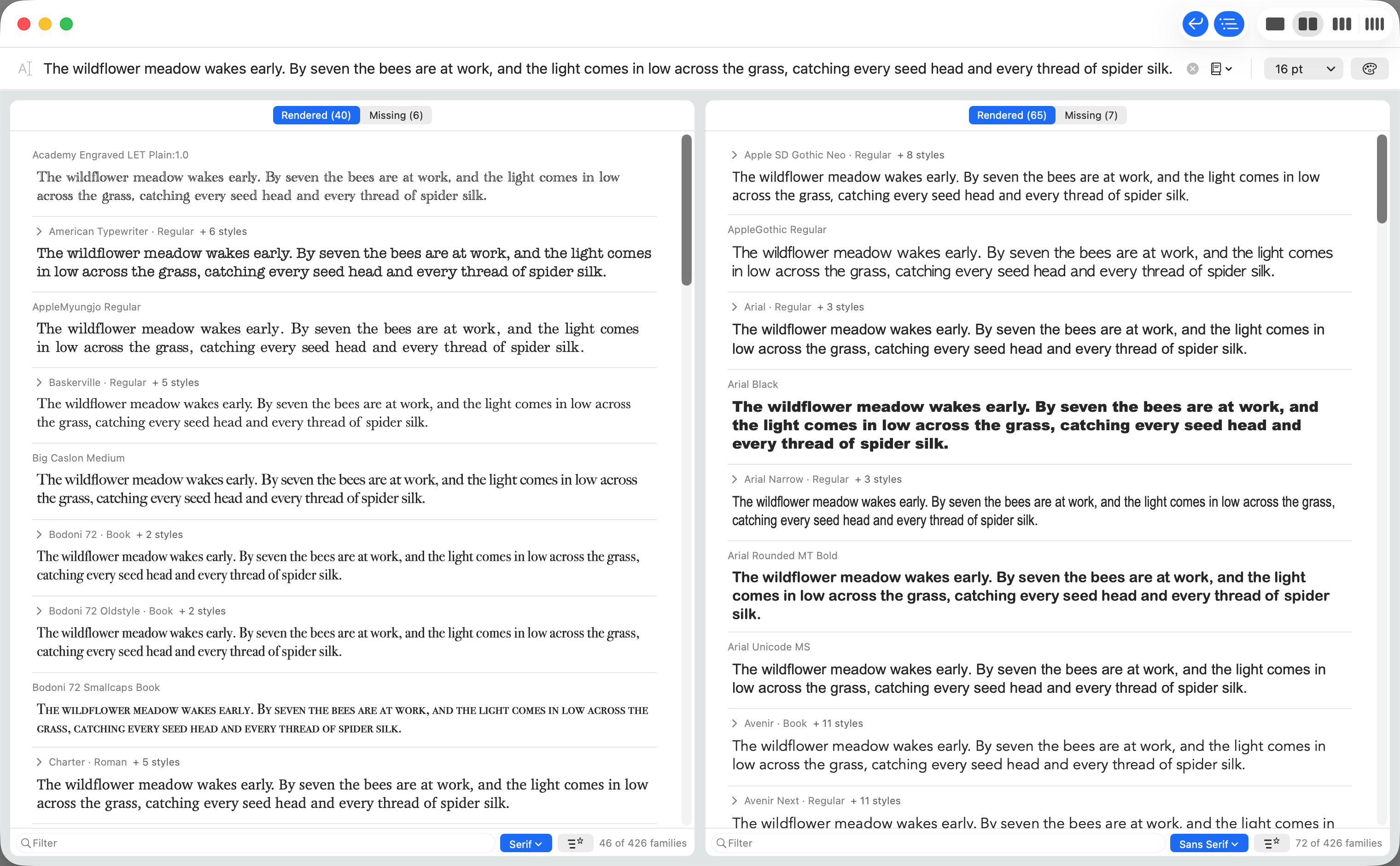
Wrap the sample and see a whole paragraph set in each font, so a body text font can be judged by its texture and not just its letters. Up to eight lines, at the column's width, with rows exactly as tall as the text needs.
Turn the wrap off and the sample stays on one line, for headlines. A menu beside the text field keeps your recent texts and offers built in samples: pangrams, the alphabets, figures and currency, look-alike characters, accents, and a line of Greek and Cyrillic.
Columns
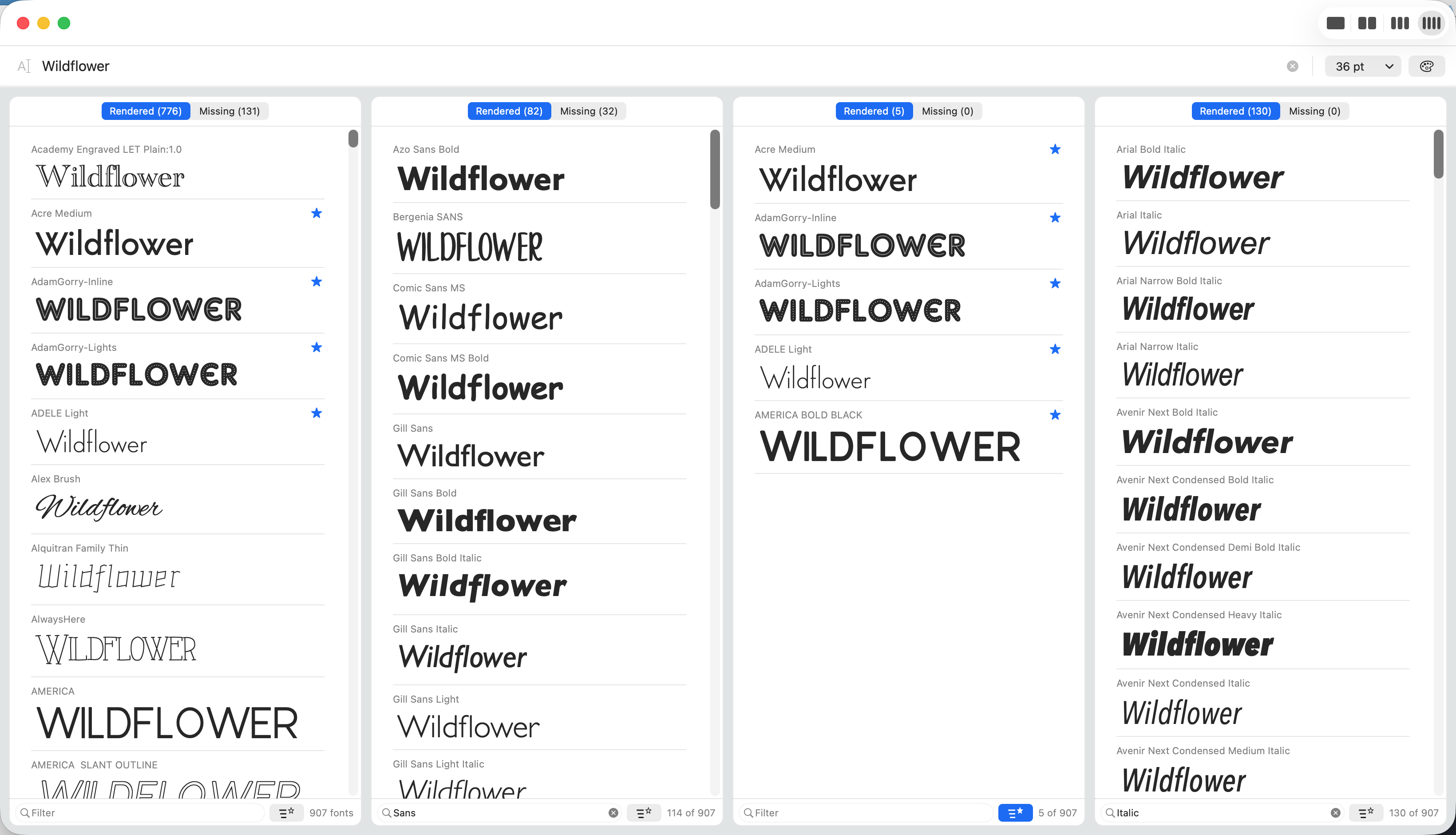
Compare side by side, in up to four columns
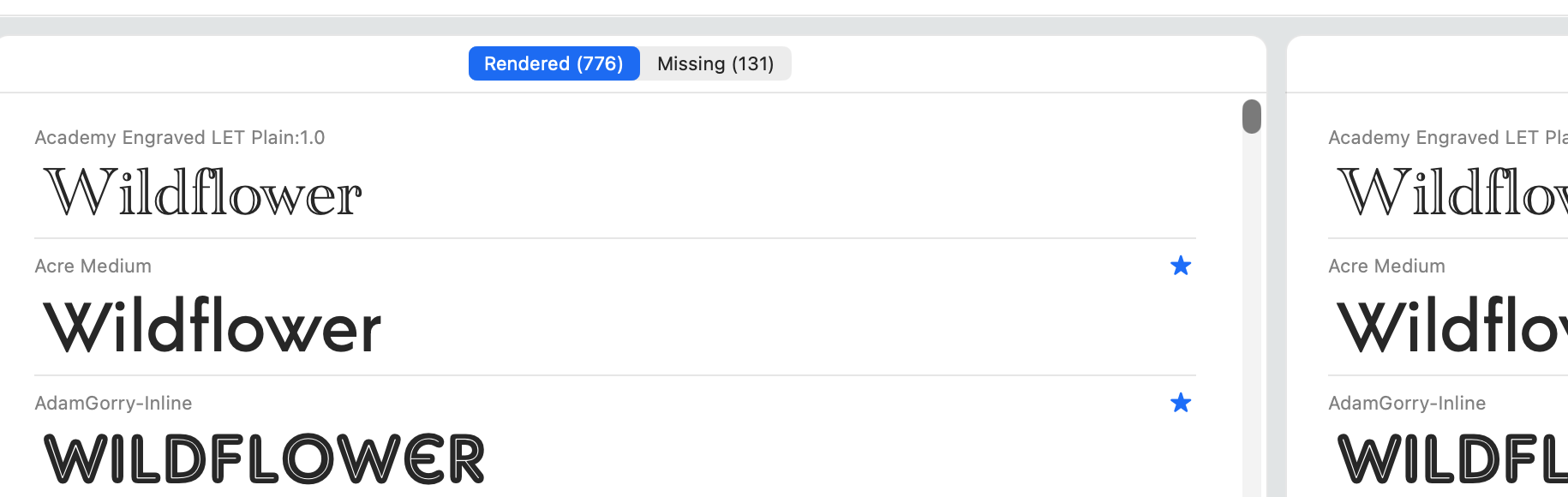
Split the window into one to four columns with ⌘1 to ⌘4. Each column is its own view, with its own name filter, its own kind filter, its own favorites switch, and its own tabs.
So one column shows the whole list, the next only serif fonts, the third your favorites, and the last the script fonts. The candidates end up next to each other, which is where a decision actually gets made.
Can it show your text
It tells you which fonts can't show your text
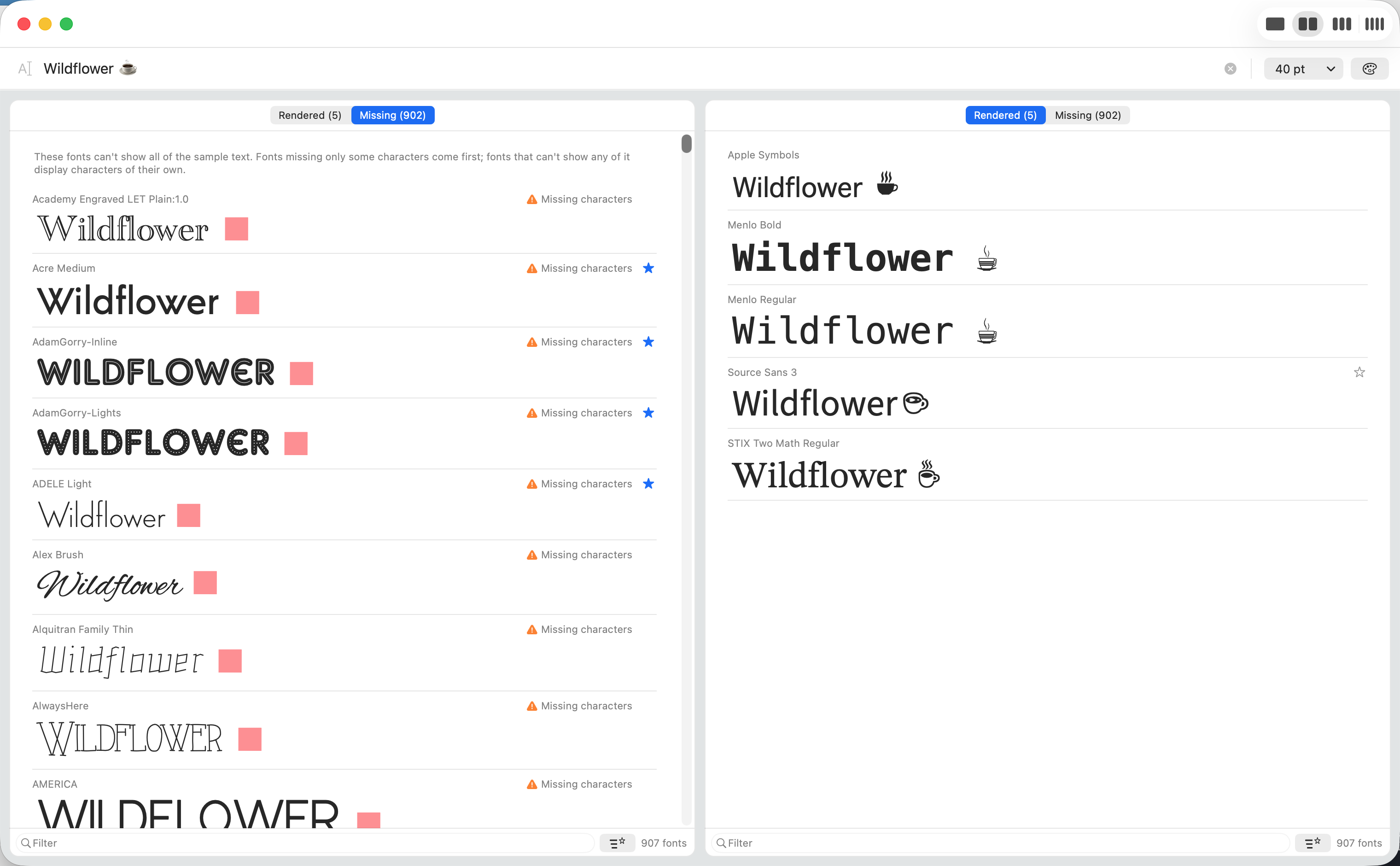
Every column has two tabs, with live counts. Rendered lists the fonts that can draw every character you typed. Missing lists the rest, with a red box exactly where each missing character would be.
Type an accented name, a currency sign or an emoji and watch fonts move between the tabs. Hover the Missing characters badge and it names exactly which characters the font lacks. Fonts that can't show any of your text say so, and show a short sample of what they do contain instead: an Arabic font shows Arabic, a symbol font its symbols.
Into your document
From shortlist to your document
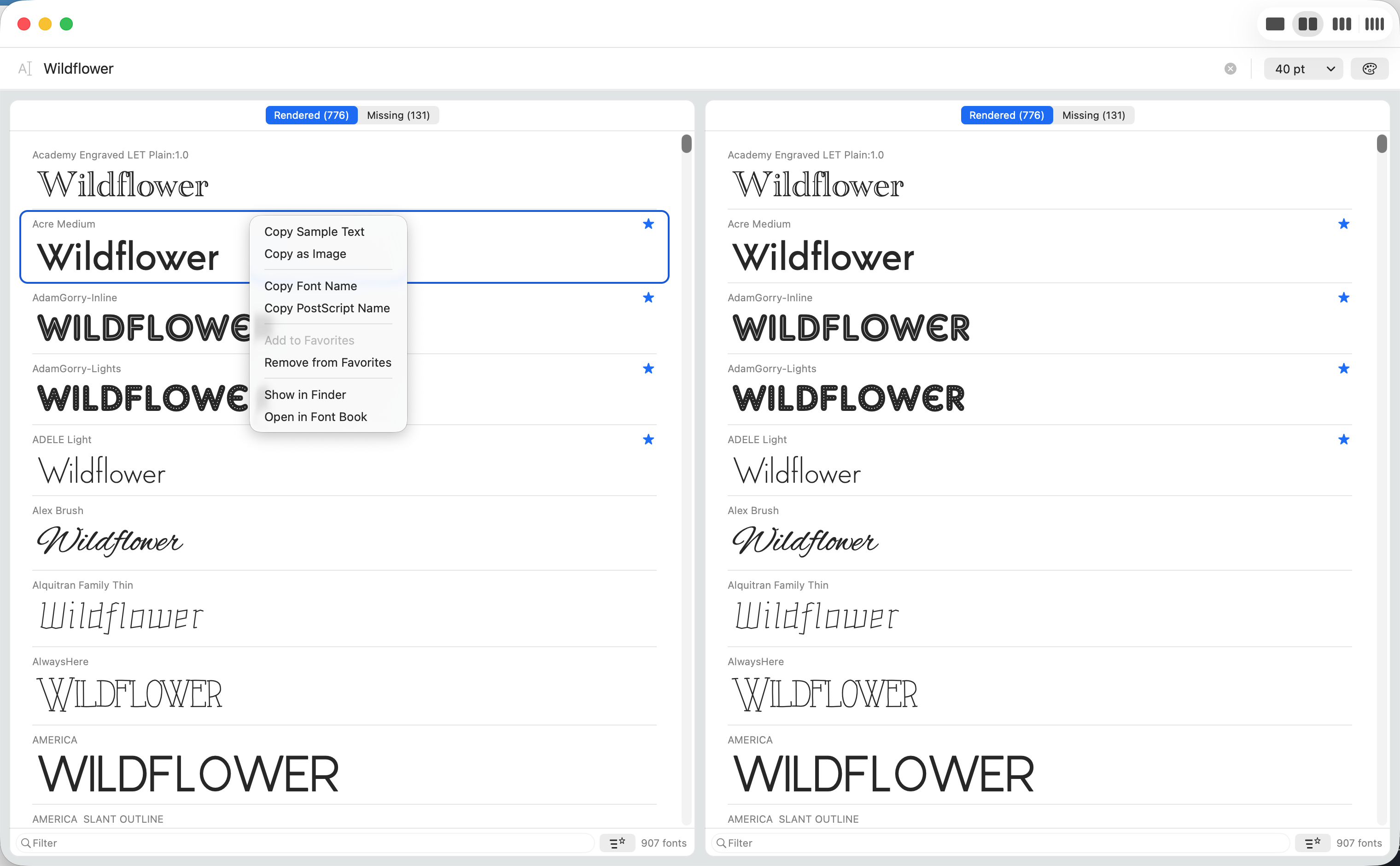
Right click any font. Copy Sample Text carries your words, in that font, into Pages, Mail, Keynote or anything else that takes styled text. Copy as Image gives you the sample as a high resolution PNG with a transparent background, ready for a design tool or a message.
Copy Font Name and Copy PostScript Name give you the plain text a stylesheet or a design tool asks for. Show in Finder reveals the font file, and Open in Font Book hands it to Apple's own manager. Rows also drag straight into another application.
Favorites
Keep a shortlist while you look
Click the star on any row and the font joins your favorites; every column has a switch to show only those. Several fonts can be starred at once from the Fonts menu, on a family row the star applies to the style shown, and every change undoes with ⌘Z.
Favorites are how four hundred fonts become six candidates, and six candidates in one column are easy to hold next to the text they are for.
Colors
Preview on the colors you will actually use
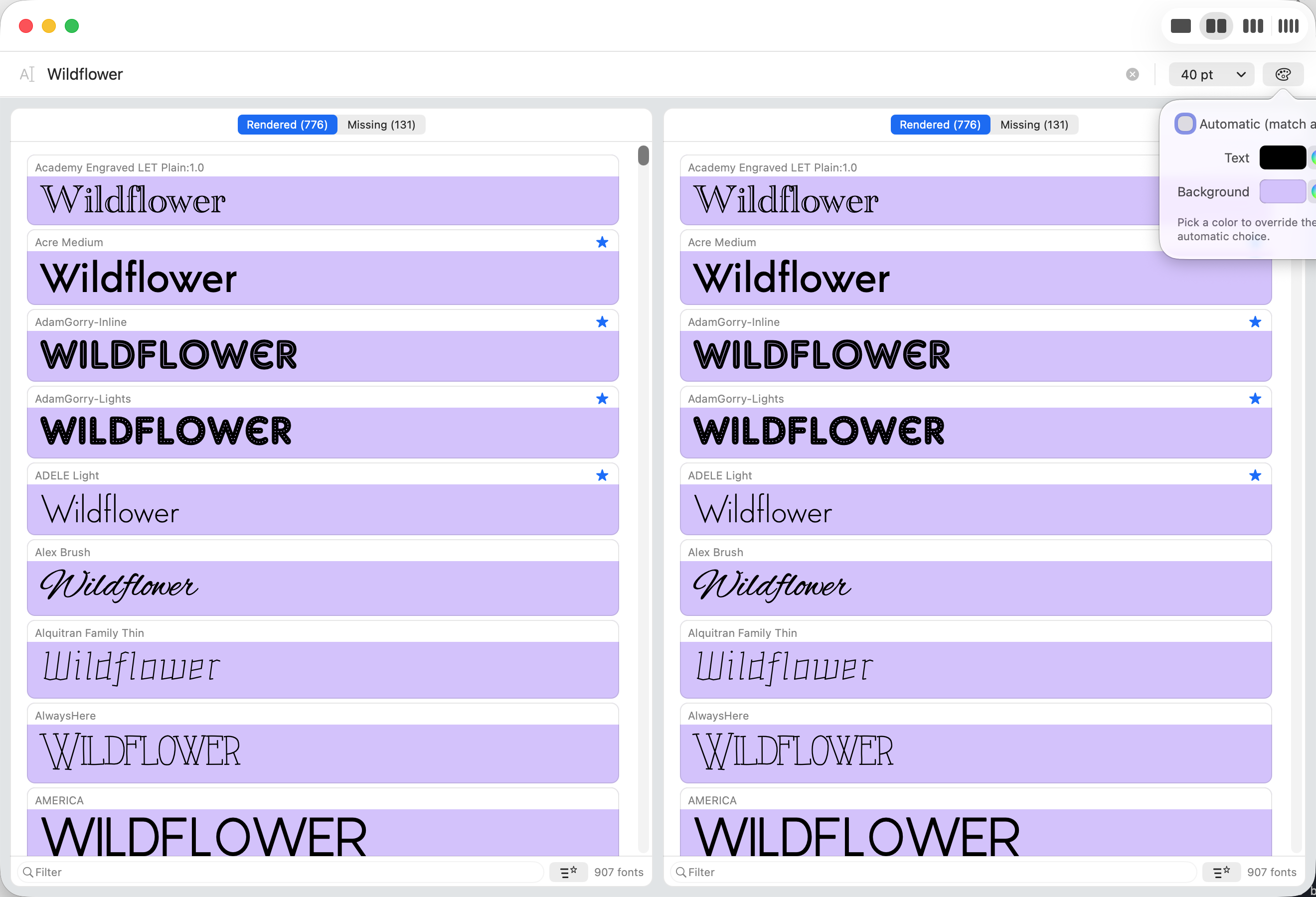
Samples follow light and dark mode on their own. When the words are going on a colored ground, a poster, a slide, a label, set a text color and a background color and every sample shows that combination.
Custom colors stay put when the system appearance changes, and Use Automatic Colors puts everything back.
And the rest
Small things that add up
- Filter a column by kind. Sans serif, serif, monospaced, script, display, non-Latin or symbol, as the font itself declares, with a count for each. The button lights up while a kind is chosen.
- Type a name to jump to it, as in the Finder, or narrow a column with its filter field, which matches family names too.
- A menu of sample texts beside the field: the last eight things you typed, and built in samples from pangrams to look-alike characters.
- Any size from 4 to 400 points. Presets from 9 to 144, any value typed, and ⌘+ and ⌘- step through.
- Typing updates every column in place, live, without flicker or reloading.
- Light and dark mode throughout, samples included, following your Mac.
- Fonts stream in as they are found, about a second for 900 fonts on a recent Mac, and changing the text never empties the lists.
- Rows fit the font. A tall script face gets the room it needs and a compact face wastes none.
- A small, native Mac app. A few megabytes, starts instantly, looks like it belongs on today's macOS.
Boundaries
What it does not do
Worth knowing before you buy it.
- It does not install, organize or delete fonts. That is Font Book's job, and FontPreview hands off to it with one menu item.
- It shows the fonts installed and active on your Mac, exactly the set Font Book shows as enabled. No previewing a downloaded font file before installing it, and no web font catalogs.
- It does not edit fonts. Beyond the missing characters check, it does not open up a font's internals.
- It does not overlay two fonts in one row. Comparison is columns, side by side.
- Favorites stay on the Mac they were made on. Nothing syncs.
- Mac only. There is no iPhone, iPad, Windows or web version.
Using FontPreview
The controls, briefly
This page is FontPreview's help: Help ▸ FontPreview Help in the app opens it. The bar under the window title holds your sample text, a menu of recent and built in texts, the size, and the colors panel. At the right of the title bar, two switches wrap the sample and group fonts by family, and the control beside them splits the window into columns. Each column has its Rendered and Missing tabs at the top, and a bottom bar with a name filter, a kind button and a favorites switch.
| ⌘1 to ⌘4 | One to four columns |
| ⇧⌘G | Group by Family on or off |
| → ← | Show or hide the styles of the selected family |
| ⌥⌘→ ⌥⌘← | Expand all, collapse all families |
| ⇧⌘W | Wrap Sample Text on or off |
| ⌘+ ⌘- | Step through the size presets |
| ⇧⌘F | Show only favorites in the focused column |
| ⇧⌘M | Show Missing Fonts, flipping the focused column's tab |
| ⌘D ⇧⌘D | Add to, remove from favorites |
| ⌘Z | Undo a favorites change |
| ⌘C | Copy Sample Text, styled, in that font |
| ⌥⌘C | Copy as Image |
| ⇧⌘C | Copy Font Name |
| ⇧⌘R | Show in Finder |
| ⇧⌘O | Open in Font Book |
| ⌘R | Reload fonts, after installing or removing some |
| ⌘? | Open this page |
What's new
Version 2.1, September 2026
Fonts grouped by family: one row per family, set in its regular style, with every other style a click away, and a switch to see the long list instead. Wrap the sample onto several lines to set a paragraph in every font. A menu of sample texts, with your recent ones. Filter any column by kind: serif, sans serif, monospaced, script, display, non-Latin or symbol. Hover the Missing characters badge to see exactly which characters a font lacks. The list now runs family by family, from the lightest upright to the boldest italic, and the name filter matches family names too.
Version 2.0, September 2026
Rebuilt for today's macOS. The engine that made version 1.3 is still underneath; everything you see and touch is new: up to four independent columns, the Rendered and Missing tabs, favorites with undo, custom sample colors, and light and dark mode throughout.
Version 1.3 shipped in 2013. If you bought it then: thank you for eleven patient years.
Getting it
On the Mac App Store
A paid app, sold on the Mac App Store and nowhere else · macOS 12 Monterey or later · Apple silicon and Intel · A few megabytes.
Support
Getting help
Email hello@roundtoe.com and a person will answer.
Saying which macOS version you are on, and what you had typed when something looked wrong, saves a round trip.
FontPreview is published by Compumaster Ltd, the developer account it has lived on since 2012. Roundtoe is where its pages and its support live.
Privacy
FontPreview collects no data
Nothing leaves the machine. No analytics, no network requests, no account. Favorites and settings are stored in the app's own preferences, on your Mac.
- Data collected
- None. In the App Store's own terms, Data Not Collected.
- Tracking
- No analytics, no telemetry, no crash reporting, no advertising, and no code from anybody else.
- Accounts
- None. There is nothing to sign in to and no license to check.
- Network
- The app never connects to anything itself. The Help menu opens this page in your browser, and only when you choose it.
- Your text and favorites
- Your sample text, favorites, colors and sizes stay in the app's preferences on your Mac.
- If you email us
- The only thing we ever receive is what you choose to put in an email. It is used to answer you, and for nothing else.
Applies to FontPreview for macOS, version 2.1. Last updated 13 September 2026. Roundtoe's site privacy notice covers roundtoe.com and the accounts on it, which FontPreview does not use and does not have.