
Stilus
Write Markdown on the left. See it on the right.
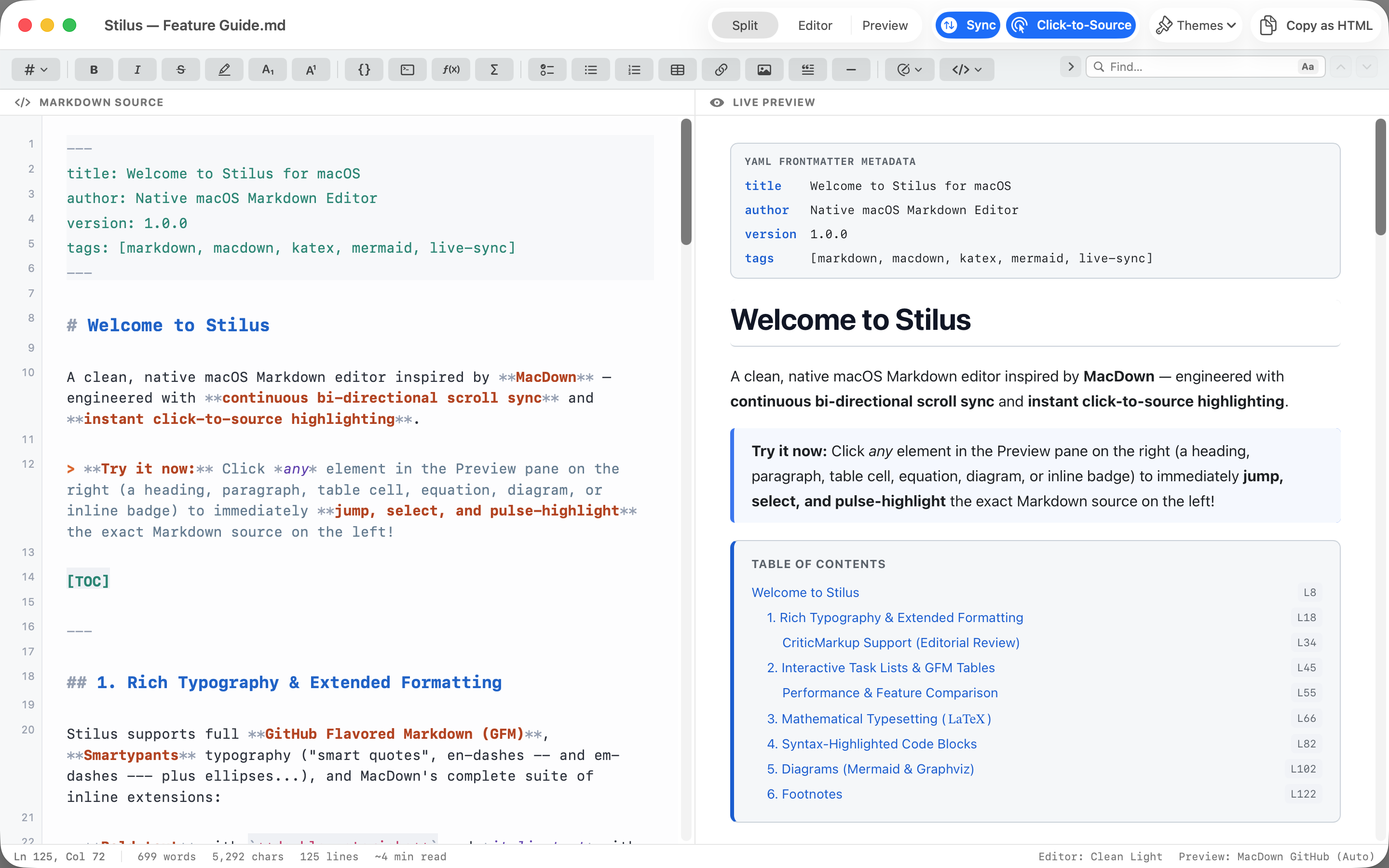
A native Mac Markdown editor with a live preview that keeps the two sides in step. Scroll either one and the other follows. Click anything in the preview and the editor jumps to the lines that produced it.
Free · macOS 14 or later · Universal · No account, no ads, nothing collected.
In step
Two panes that stay together
The preview renders as you type, even in a long document, and it scrolls with you. Scroll the source and the preview follows; scroll the preview and the source follows. The two are matched line by line rather than by proportion, so a page of headings and a page of tables land where they should.
Split, Editor and Preview are one click apart in the title bar, for the moments when you want only the text or only the result.
Click to source
Click the preview, land on the line
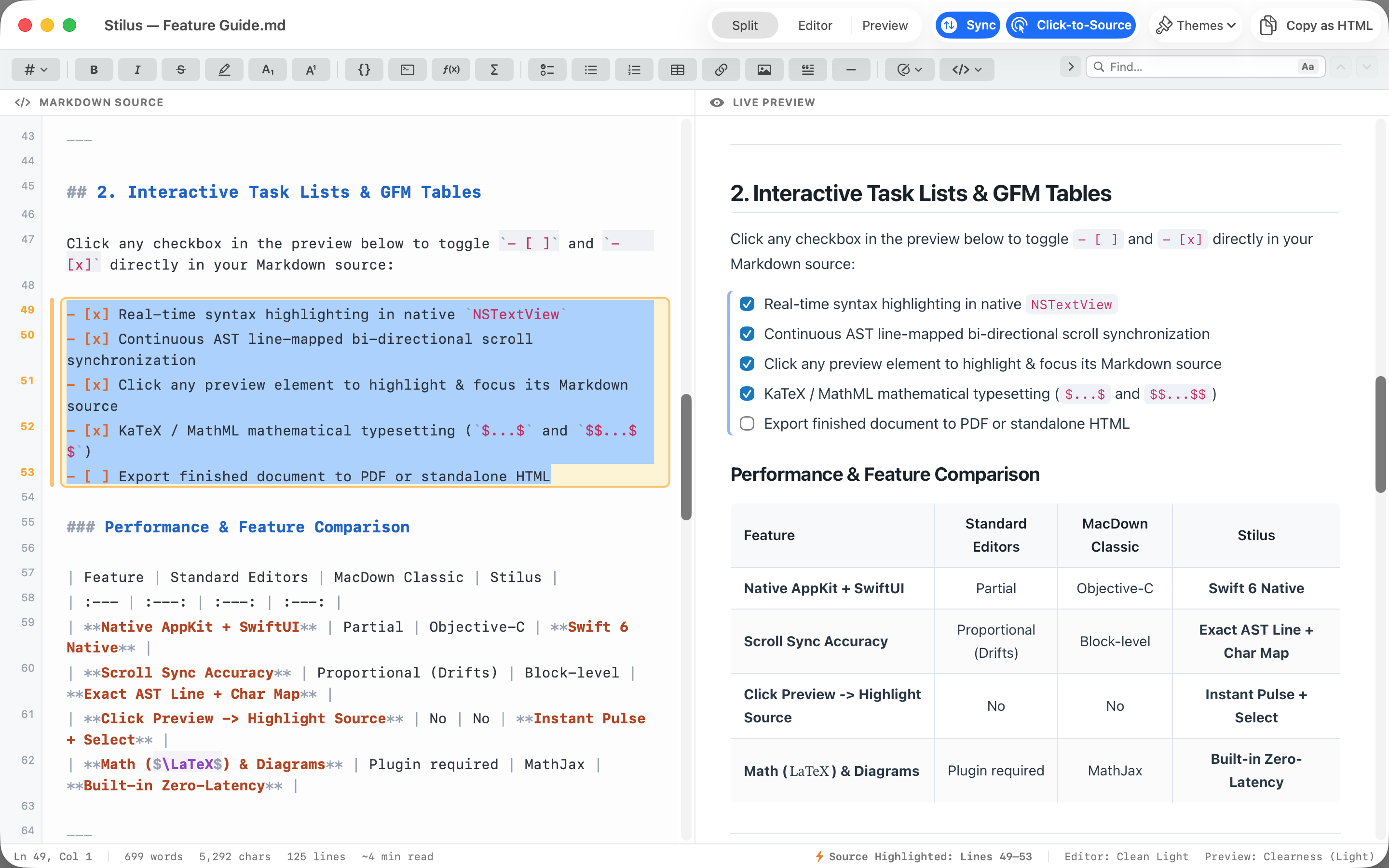
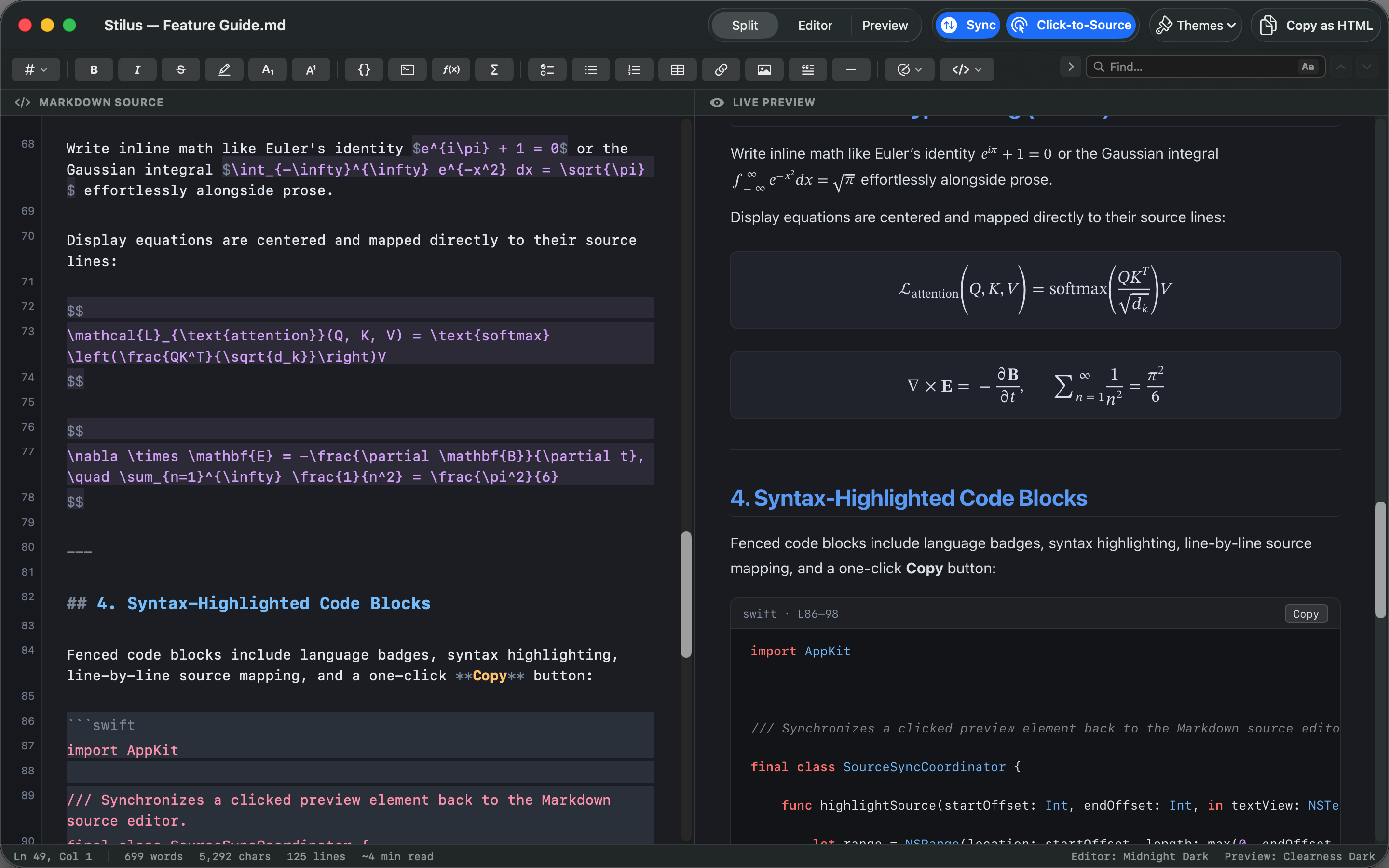
Click a heading, a paragraph, a table cell or an equation in the preview and the editor selects the exact lines that produced it, highlighted so you can see them. It is the fastest way back into a document somebody else wrote.
It works the other way for task lists: tick a checkbox in the preview and the
[ ] in the source becomes
[x].
Find
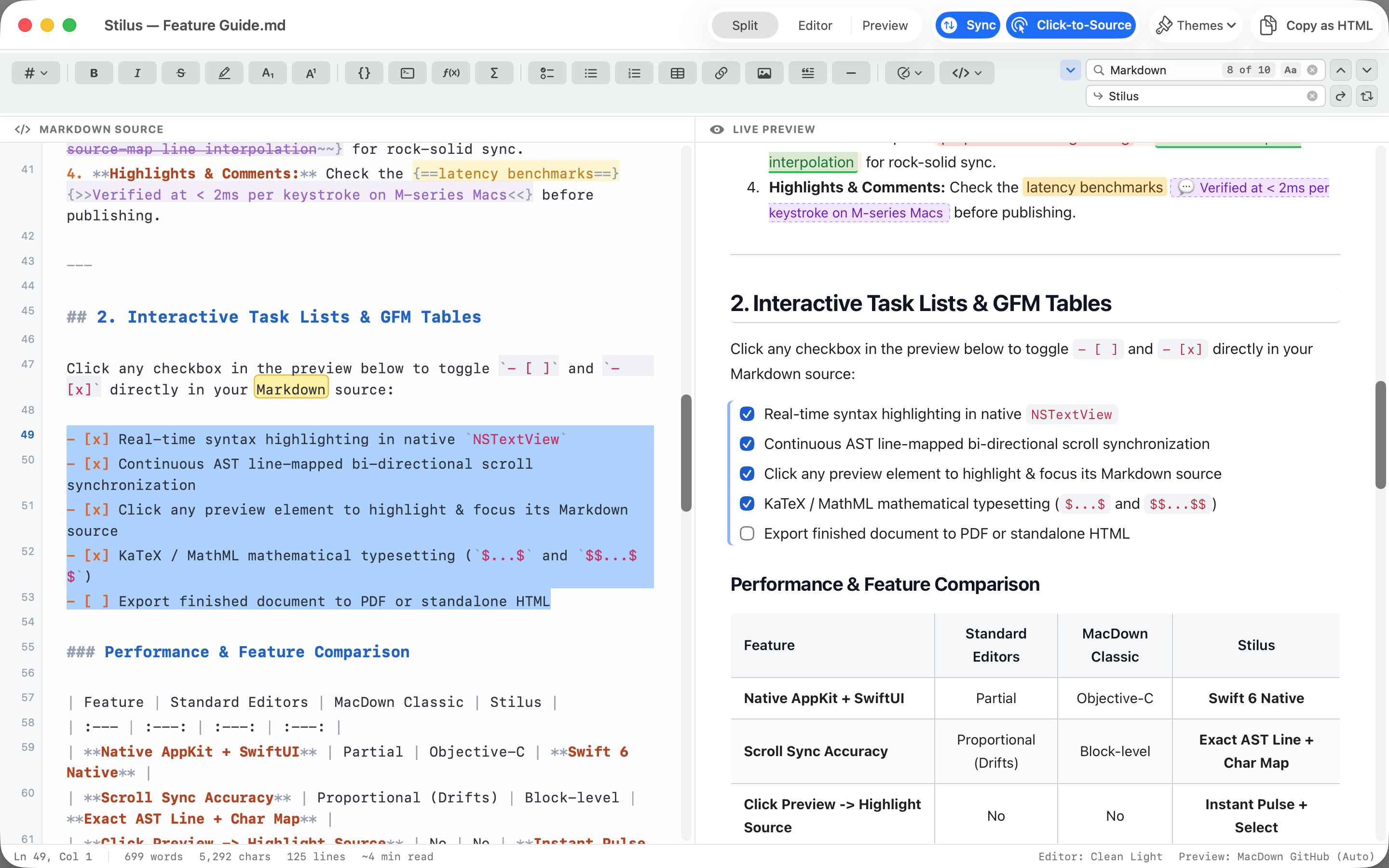
Find and replace in the toolbar, not in a popup
Press ⌘F and the find field is in the toolbar,
where it does not cover what you are reading. Every match is highlighted, on both
sides. Step through them with ⌘G, then replace
one or replace all.
Writing
An editor that knows it is Markdown
A fast native editor with syntax highlighting and line numbers. The toolbar and the usual shortcuts cover bold, italic, headings, links, lists, tables, code and more. Press Return inside a list or a task list and the next item is started for you.
What it understands
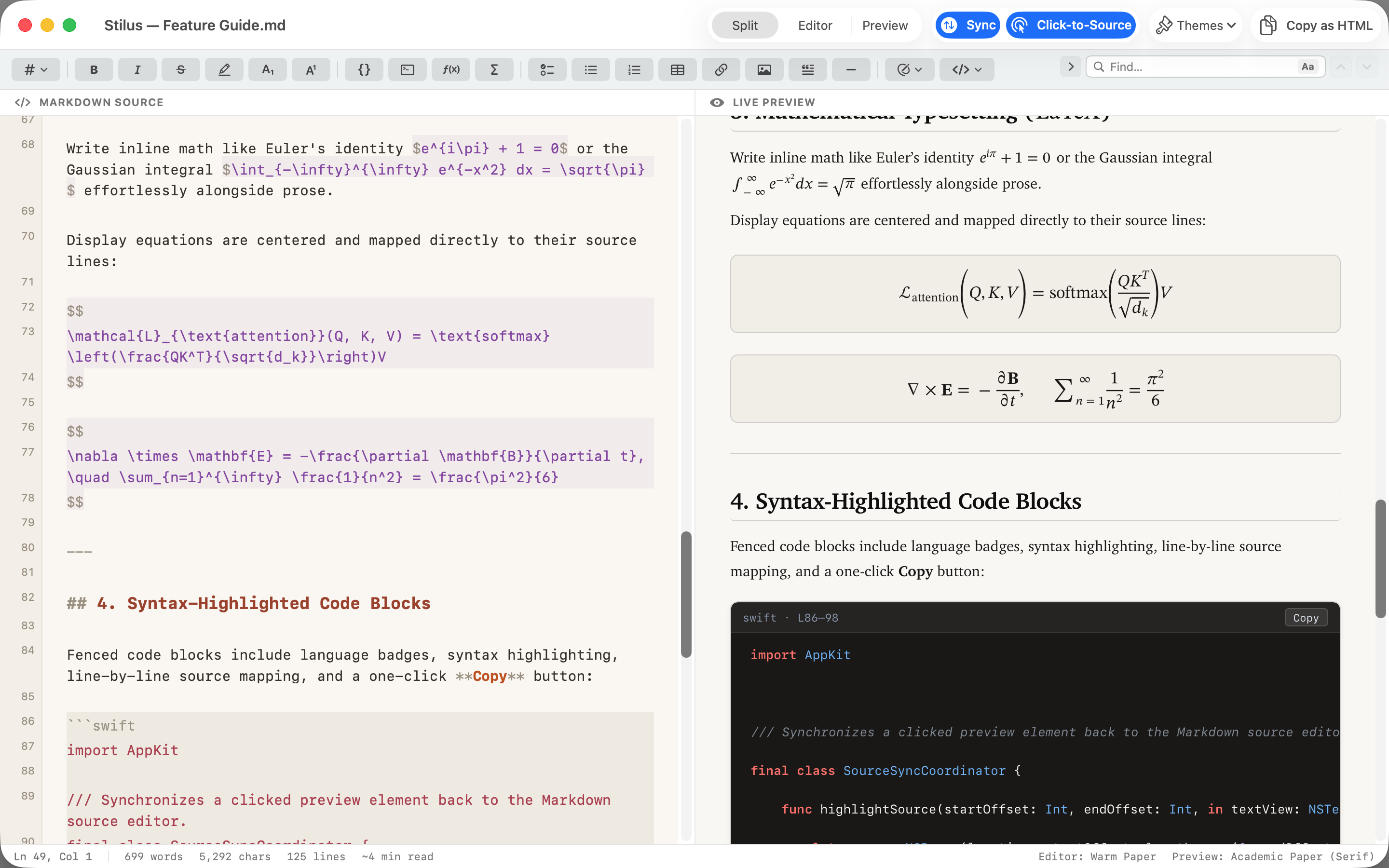
Maths, diagrams and code, rendered in place
Common LaTeX maths between $…$ and
$$…$$ is shown as native MathML, so it is
real text in the preview and in the export. Fenced code blocks are highlighted by
language. A mermaid or
dot code block becomes a simple flowchart.
Display equations are matched to their source lines like everything else, so
clicking one in the preview takes you to the right
$$.
The whole list
GitHub Flavored Markdown, and the extensions people actually use
Plain Markdown first, then the GitHub additions, then the things writers reach for that plain Markdown never had.
| GitHub Flavored | Tables · Task lists · Strikethrough · Fenced code blocks · Autolinks |
|---|---|
| Technical | LaTeX maths as MathML · Syntax highlighted code · mermaid and dot flowcharts |
| Structure | Footnotes · [TOC] · YAML front matter · Inline and block HTML |
| Inline | ==highlights== · sub~script~ · super^script^ |
| Editing | CriticMarkup: suggested insertions, deletions, substitutions, highlights and comments |
Themes
Pick a look for each side, or bring your own
The editor and the preview are themed separately. Choose from the built in editor themes and preview stylesheets, light and dark, in any combination, or point the preview at your own CSS so what you see is what your site will show.
Getting it out
Copy as HTML, or export HTML and PDF
Copy as HTML puts the rendered document on the clipboard, ready to paste
into a CMS or an email. File > Export writes a
standalone HTML file, or a PDF, to wherever you choose.
The document itself is a plain .md file, so anything
you write here opens in any other editor, on any system, and always will.
A Mac app
Behaves like a proper document app
Save, Save As and Revert to Saved. Full undo. A prompt if you try to close with unsaved changes. Native text editing, so every shortcut you already know works.
Boundaries
What it does not do
Worth knowing before you download it.
- It is not a notes app. There is no library, no sync and no account. It opens a file, you edit it, you save it. Where your files live is up to you and your Mac.
-
Diagrams are simple flowcharts.
mermaidanddotblocks are drawn as flowcharts; the other diagram types those languages describe are not. - There is no Print command. Export a PDF and print that.
- macOS only, for now. Nothing has been released for any other system.
Requirements
Getting it
macOS 14 Sonoma or later · Universal binary, Apple silicon and Intel · Free · Sandboxed · No account · No ads · Nothing collected
Support
Getting help
Email hello@roundtoe.com and a person will answer.
If something renders wrongly, the few lines of Markdown that produce it are worth more than a description of it. Saying which macOS version you are on saves a round trip.
Stilus is published by Compumaster Ltd. Roundtoe is where its pages and its support live.
Privacy
Stilus collects no data
None at all, and nothing anonymised either. Your documents are read and rendered on your Mac and are never sent anywhere.
- Data collected
- None. In the App Store's own terms, Data Not Collected.
- Tracking
- No analytics, no telemetry, no crash reporting, no advertising, and no code from anybody else.
- Accounts
- None. There is nothing to sign in to, no subscription and no licence to check.
- Network
- The app connects to the internet for one reason: to show an image that your own document links to by web address. That request goes to the server the address names, exactly as it would in a browser, and nothing is sent to us. It makes no other network request of any kind.
- Your files
- Stilus runs in Apple's sandbox and reads the files you open with it, and nothing else. Your documents, your own CSS and your exports stay where you put them. Your theme, font size and layout are kept in the app's preferences on your Mac.
- Children
- Stilus is not directed at children, and collects nothing from anybody of any age.
- If you email us
- The only thing we ever receive is what you choose to put in an email. It is used to answer you, and for nothing else.
- Changes
- If this ever changes, this page will say so before the version that changes it is released.
Applies to Stilus for macOS, version 1.0. Last updated 20 October 2026. Roundtoe's site privacy notice covers roundtoe.com and the accounts on it, which Stilus does not use and does not have.