Free forever
Website
Paste one line into any page and the timer counts down for every visitor. Unlimited on every plan, free ones included, however many people see it.
Ampulla · countdown timers
Design a timer once. Put it on your website free, or send it in an email where it keeps counting down in the inbox.
No card required. Unlimited website timers on every plan, including free.
The same timer, delivered by whichever route the medium allows.
Free forever
Paste one line into any page and the timer counts down for every visitor. Unlimited on every plan, free ones included, however many people see it.
Paid
A countdown that animates in the inbox, which an ordinary website timer cannot do. Give each recipient their own deadline, so one campaign can end at a different moment for every person in it.
Three steps, and the last one is the reason people buy it.
Pick a look, set your colours, choose the moment it ends. You see exactly what your reader will see while you work.
Copy the line we give you into your page or your campaign. No plugin, no account for your readers, nothing for a developer to wire up.
Send one campaign and give each person their own ending, 24 hours from when they signed up, or the same Friday for everyone. Your call, per recipient.
Four designs, exactly as they arrive. Every colour is yours to change, and there is no watermark on any plan.
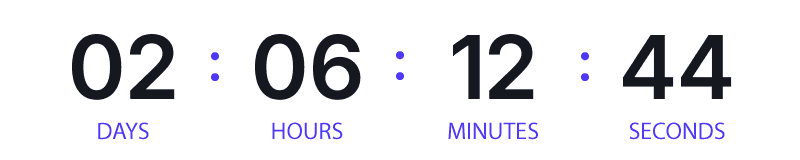
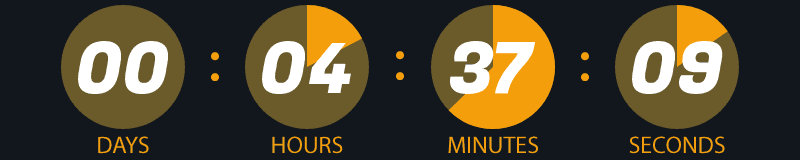
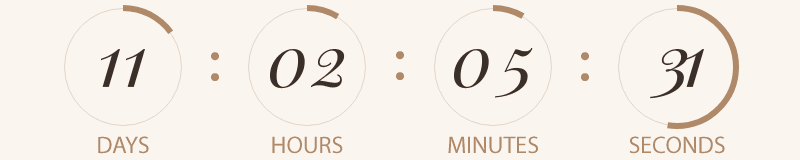
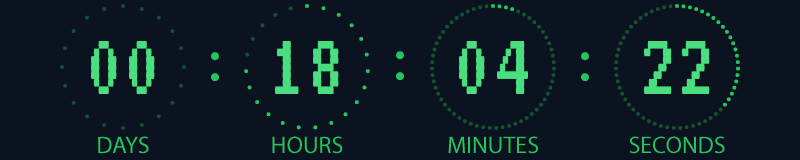
You are billed on views — roughly, how many times your countdown was seen. Designs and website timers are unlimited on every plan.
For trying it out and for web-only use.
$0
One list, sending regularly.
$9/mo
Multiple campaigns in flight.
$29/mo
High volume, every month.
$79/mo
All prices include local tax. What you see is what you pay, wherever you are.
We’ll email you as you approach your limit, and again if you reach it — so it is never a surprise. And nothing breaks silently in an inbox: past your limit a timer becomes a plain image, never a broken one.
Yes. It is a picture that keeps moving after the mail arrives, so there is nothing for your reader to install and nothing to click.
It stops at zero and stays there. It never rolls over and starts again, which is the one thing that would make a late reader think they still had a week.
Yes. That is the point of sending it as an email timer. One campaign can end 24 hours after each person signed up, or at the same moment for everyone. You set it per recipient when you send.
No. You copy one line and paste it where you want the timer. It works in the usual email tools and in any website that lets you paste HTML.
Apple’s privacy protection fetches images when the mail is delivered rather than when it is read, so those readers see the timer as it looked on arrival. Every email timer works this way, ours included. It is worth writing the date into your copy as well as showing the clock.
On your website, yes: make two designs, paste both, and show the one that matches your reader’s setting. The timer at the top of this page does exactly that. In email it is one design for everyone, because mail apps do not reliably say which way round the reader is looking at it, so pick colours that hold up either way.
One view is one time your timer is loaded to be shown in an email. Website timers are unlimited on every plan and are never counted.
An email timer keeps up with your edits, because the picture is made when it is opened. A website timer keeps the design it had when you copied it, so paste it again to pick up a change.
Start on the free plan and upgrade when a campaign needs it.
Create an account