
Rubrica
A log viewer that reads your format.
Twenty-six formats out of the box, from IIS to Kubernetes. If yours is not one of them, you can add it yourself. Lines become columns, rows get colour, and search does what you expect.

Free · macOS 13 or later · Universal · No account, no network, nothing collected.
The model
It asks what your format is
Most log viewers work well on the format their author happened to have. Rubrica lets you tell it about yours. You describe what a line looks like, and each part you name becomes a column.
That is all there is to it, and it means Rubrica does not mind whether the file came from a web server, an installer, or something your own code wrote at four in the morning. Formats you add sit alongside the built in ones, in a folder the app opens for you. If one of them does not work, it tells you which and why.
Detection
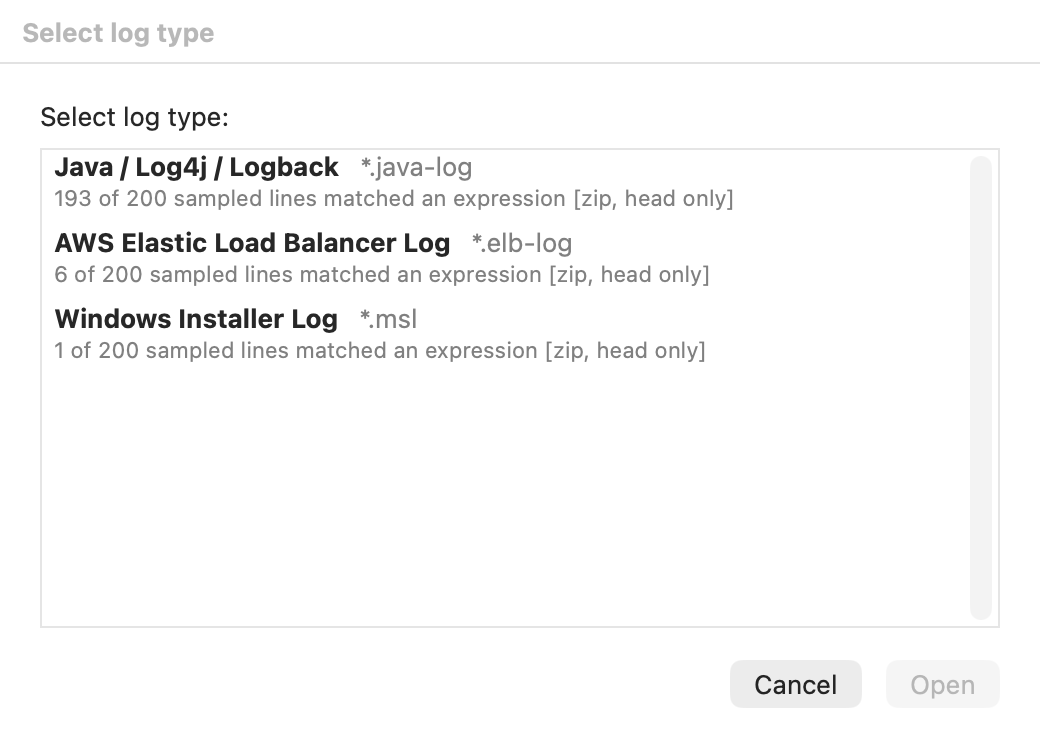
It works out which one to use
Plenty of formats use .log, so the file name is not
much help. Rubrica tries every format it knows against what is actually in the file,
and shows you the ones that fit, best first.
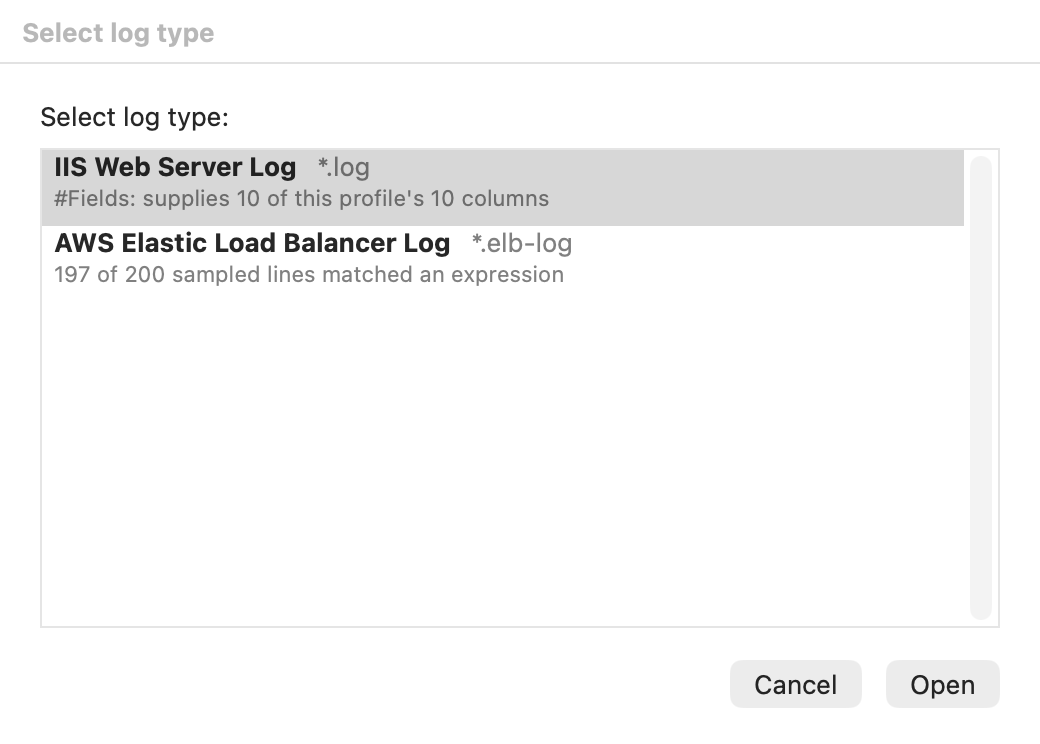
Each one tells you why it fits: #Fields: supplies 10 of this format's 10 columns, or 197 of 200 lines checked matched. Twenty-seven possibilities become two.
Out of the box
And it already knows twenty-six
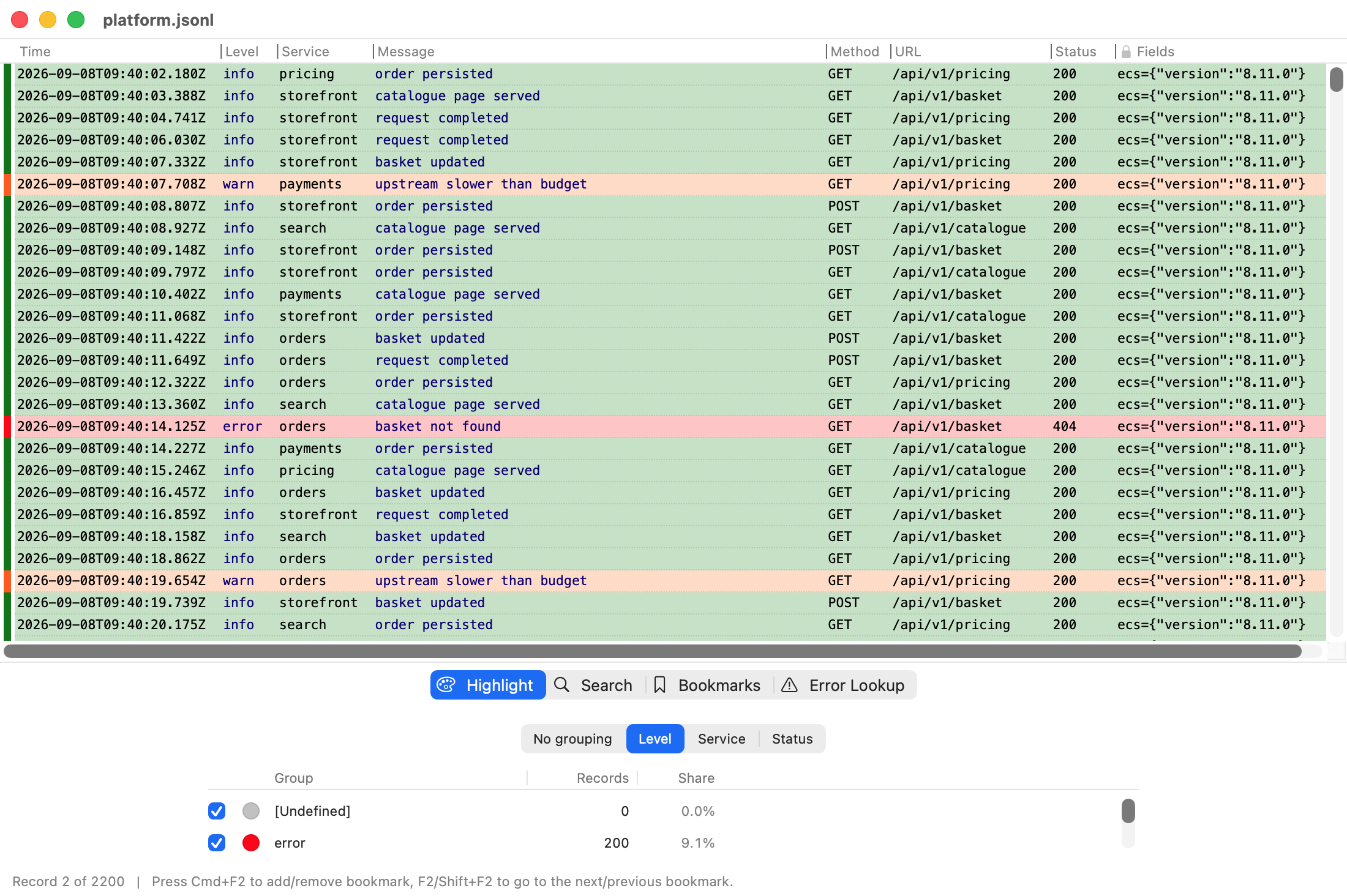
Eighteen for ordinary text logs, and eight more for logs written as JSON. They work differently on purpose: for text you describe what a line looks like, and for JSON you choose which fields become columns. If a JSON log is a shape it does not recognise, it says so rather than guessing at your columns.
| Web and proxy | IIS / W3C extended · Apache access, Common and Combined · nginx access · nginx error · Squid · HAProxy |
|---|---|
| Cloud | AWS CloudFront · AWS ELB and ALB · AWS VPC Flow · Kubernetes CRI, containerd and CRI-O |
| System | syslog, RFC 3164 and RFC 5424 · Cisco ASA and IOS · Android logcat · Windows Installer · Zeek / Bro TSV |
| Application | Java / Log4j / Logback · PostgreSQL · MySQL slow query · Oasis Workstation |
| JSON | Elastic Common Schema · Bunyan and Pino · AWS CloudTrail · Docker json-file · Serilog CLEF · MongoDB · Cloudflare Logpush · systemd journal |
Whole records
A stack trace is one row
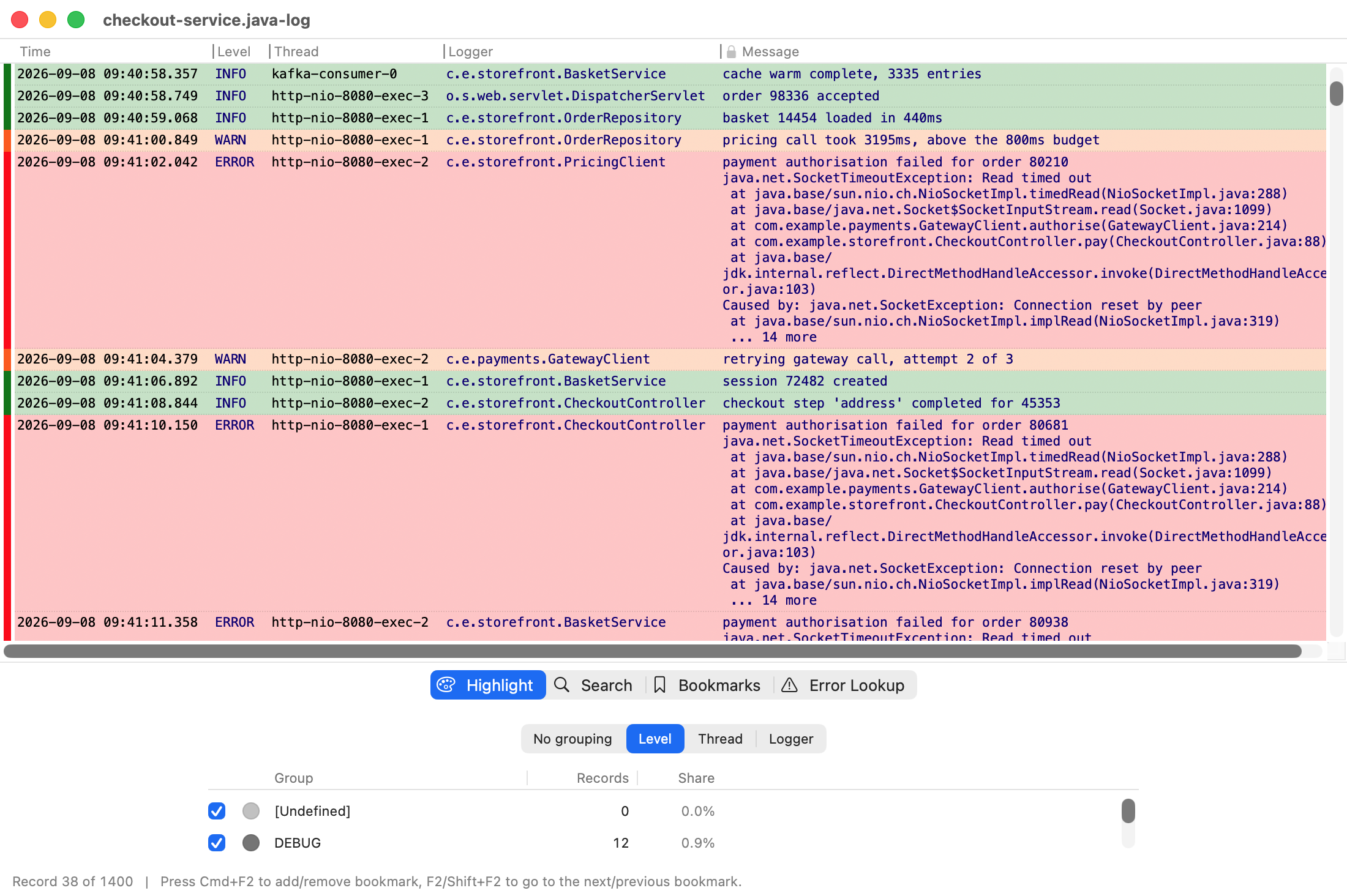
One entry is not always one line. A Java exception with forty lines of stack trace, a PostgreSQL error with the query that caused it, a slow MySQL query with its timings: each of those is a single row here, however many lines it takes up in the file.
Open the same file in most tools and that one exception becomes forty rows, thirty-nine of which have no time, no level, and nothing you can sort or filter by.
Colour
Colour by value, then filter by colour
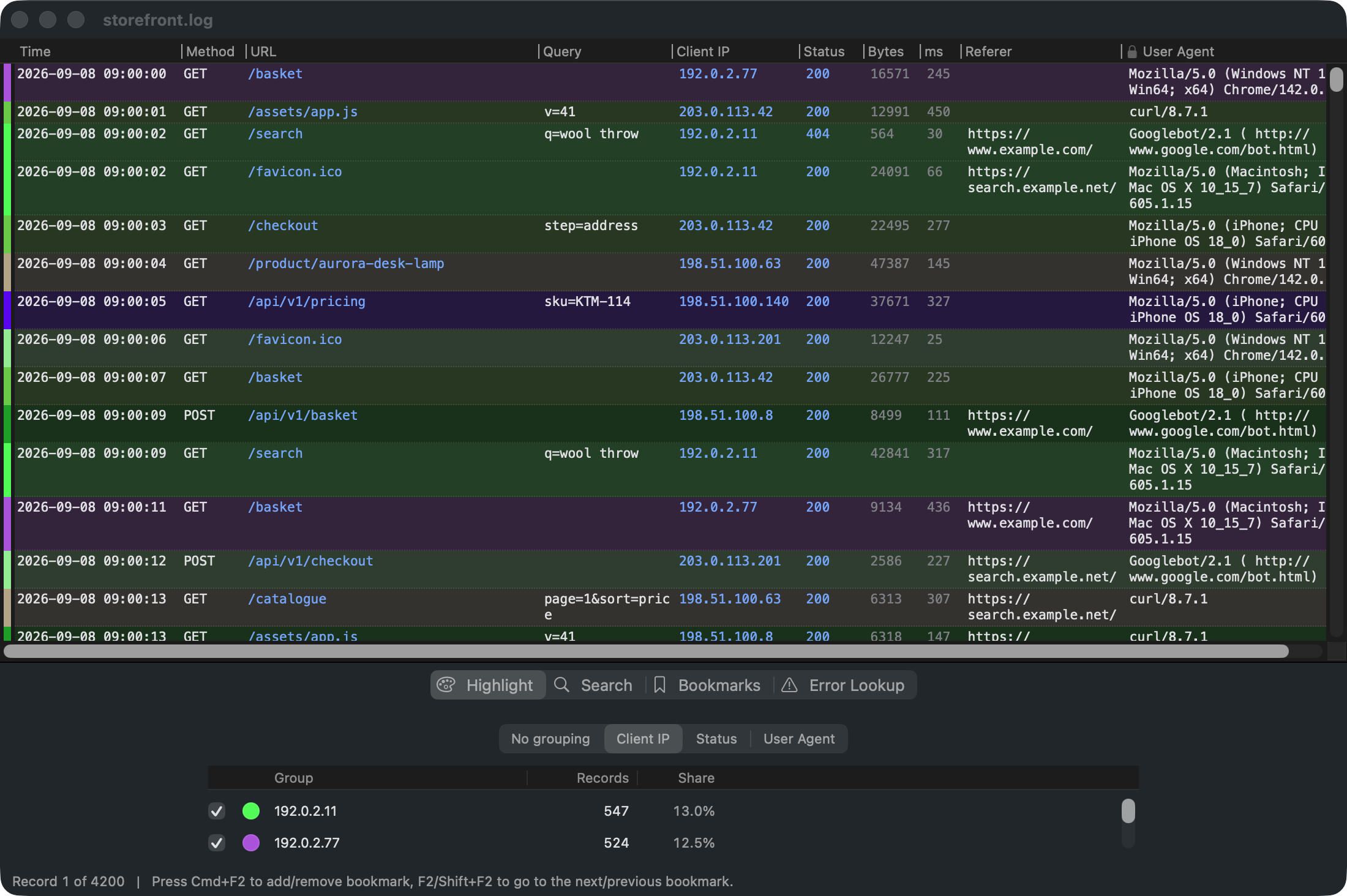
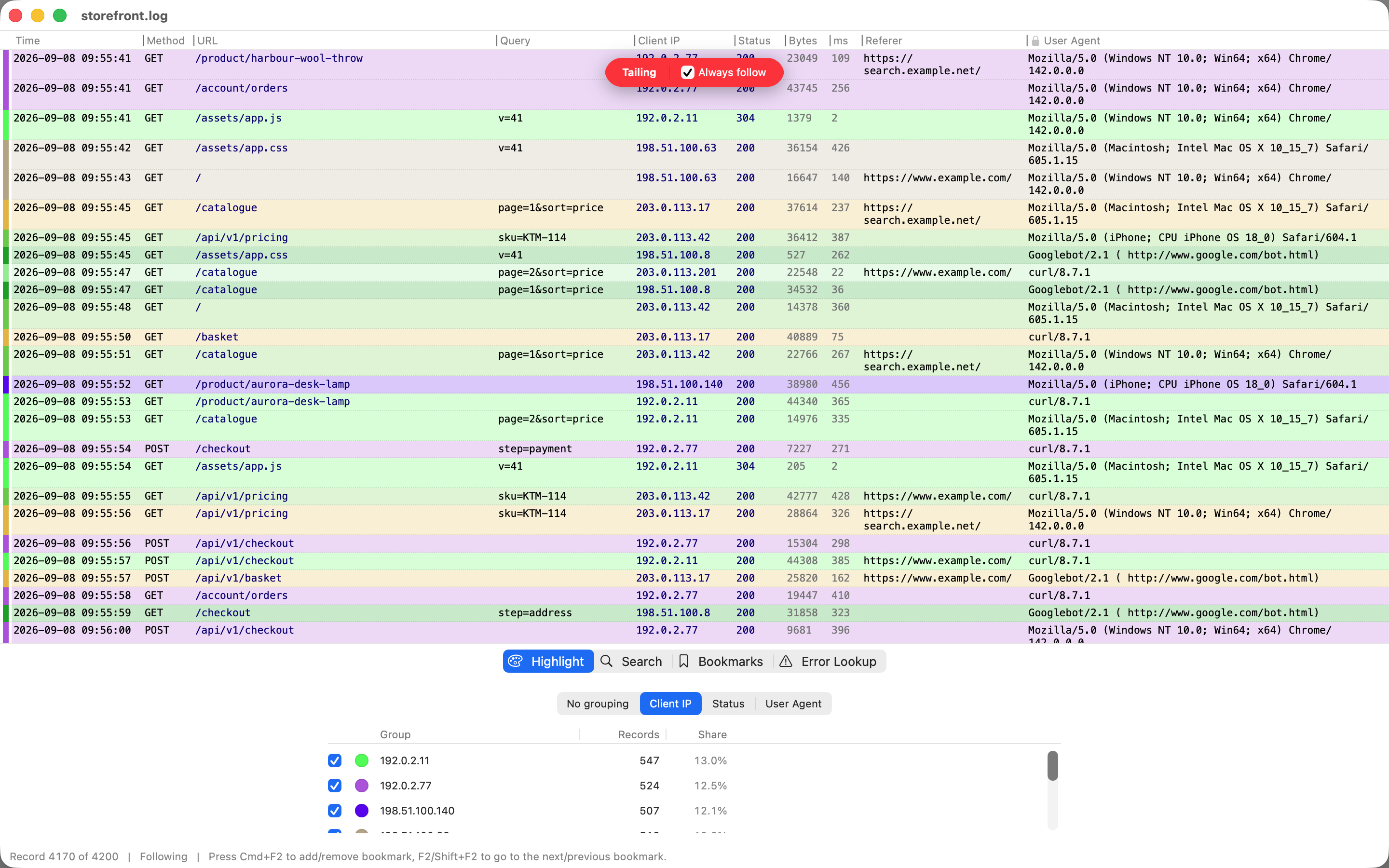
Pick a column, and every different value in it gets its own colour, with matching rows tinted to suit. You can change any of the colours, or hide a whole group at once.
Or start from a row in front of you. Right click it, choose Hide selected, and every row like it disappears. When one busy IP address is drowning out everything else, that is two clicks to a clean view.
Search
Search that does what you expect
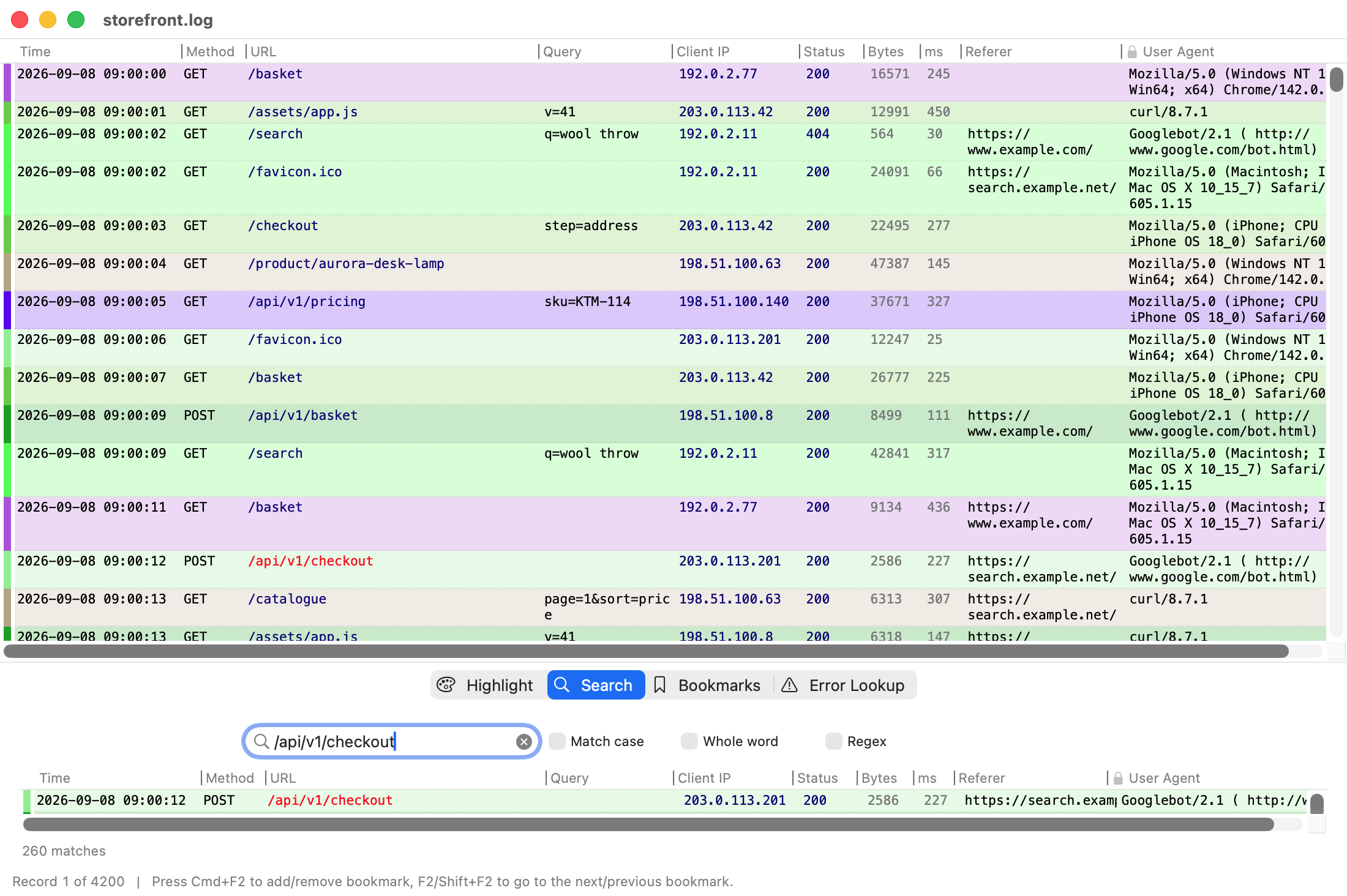
One search box. It highlights matches inside the cell rather than just marking the row, steps through them with F3, and fills a results list you can click.
It looks for exactly what you type. Regex is a
checkbox and it starts off, because most searches are plain text, and
things like C:\Users\ and
192.168.1.1 are valid patterns that quietly match the
wrong lines. It only searches the columns you can see, so hiding one really does
change the results.
Archives
Open a .gz log without extracting it
Nobody sends you a log. They send you a support bundle. Rubrica opens
.gz, including rotated files, plus
.tar, .tar.gz,
.tgz and .zip, without
unpacking them first.
It also reads UTF-16 files, which is what Windows tools often write, and which look like a wall of blank characters in most editors. This works for every format rather than a few special ones, so a compressed UTF-16 syslog inside a tar file simply opens.
Error lookup
Look up a code you do not recognise
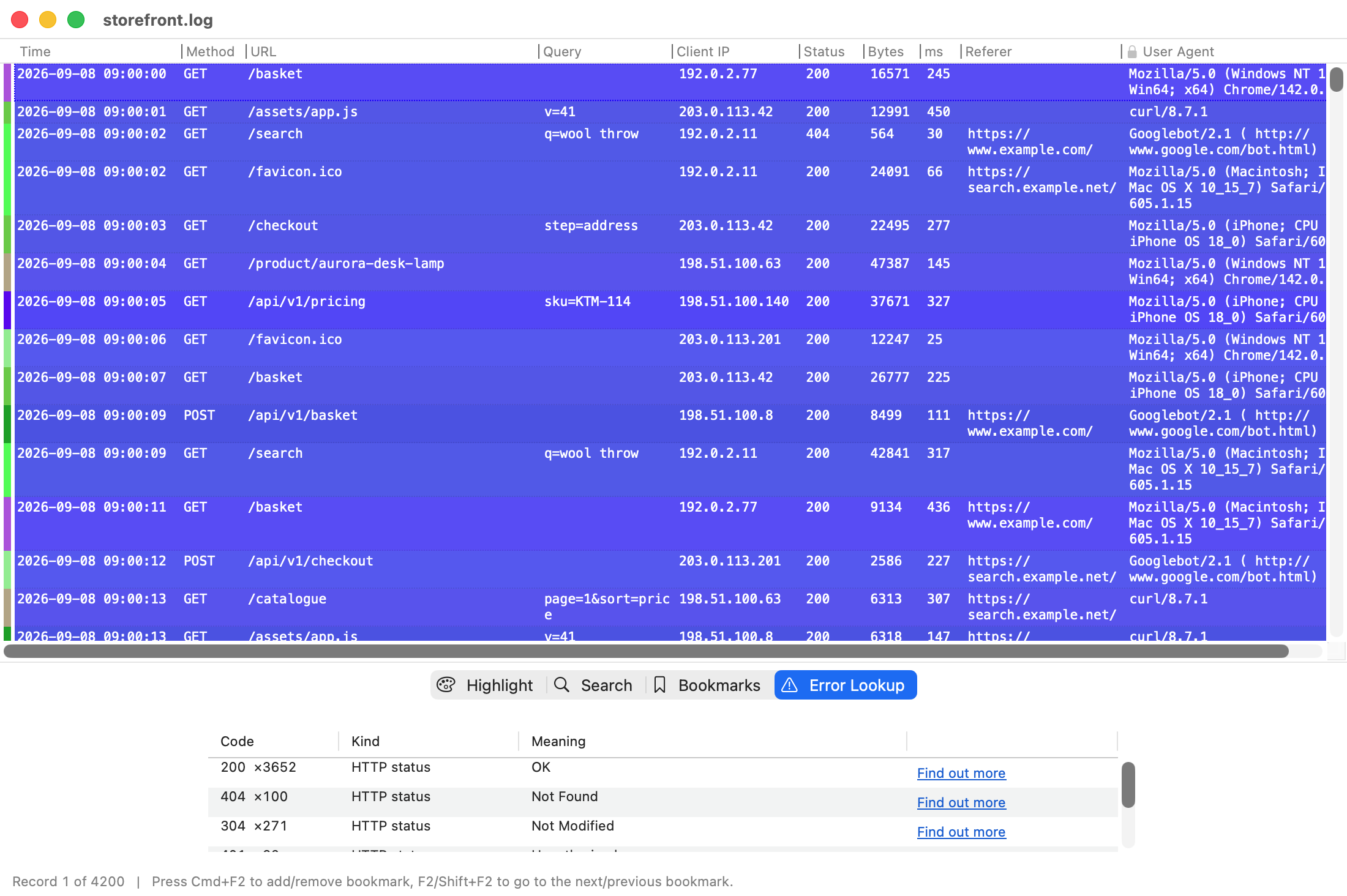
Select some rows, or a whole column of status codes, and the Error Lookup tab lists each code with what it means, how many times it appears, and a link.
It works out what kind of codes the column holds, so it does not need a huge built in list. Codes it knows are explained, and for the rest it gives you a search.
Sessions and appearance
Come back to where you were
File > Save Session saves where you had got to:
your place in the file, what was selected, your bookmarks, your search, which groups
you hid and what colour they were, and every column's width and order. It saves where
the log is rather than a copy of it, so the file is tiny and you can email it to a
colleague.
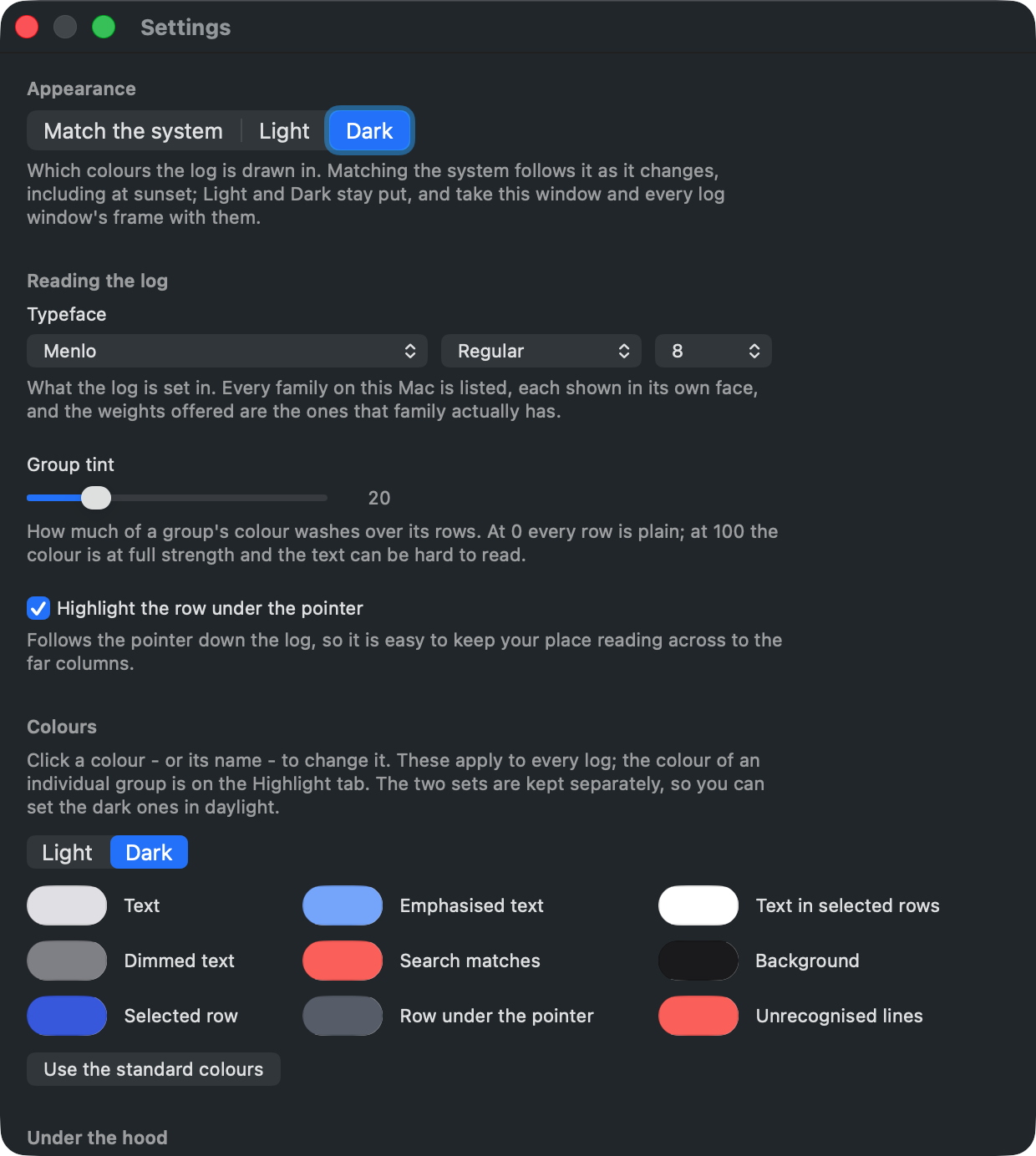
Dark mode follows your Mac, or you can set it to Light or Dark on its own. Wanting a log light while everything else is dark is a normal thing to want. There are two full sets of colours and you can edit both, choosing which set you are working on, so the dark ones can be set up in daylight.
Large files
Built for very large files
Rubrica maps the file into memory rather than loading it, compresses what it keeps, and stores repeated text only once, because most of a real log is values you have already seen. Jumping to the end is instant however big the file is, and hiding half the rows does not renumber the ones you were reading.
If you want to see it working, Settings has an Under the hood section with the counters for each file you have open.
Follow
Follow a log as it is written
File > Open Tail opens a growing file from its end,
the last 2 MB by default, and follows it. New records appear as they are written,
and a bar over the log says Tailing. Scroll up and following pauses; go
back to the end and it resumes. Always follow is
tail -f on a console: the scrollbar goes, the latest
line is always in view, and the bar turns red so you cannot forget you are in it.
Everything else keeps working while records arrive, and nothing on screen moves unless you asked it to follow. Search results keep filling, colours and counts update in place, and a hidden group stays hidden for the rows that arrive. Tail This File turns a log you already have open into a tail without losing your place, your bookmarks or your columns. Any plain text log can be tailed, including multi line ones and JSON lines. Compressed files and archives cannot be read from the middle, and say so.
System logs
The Mac's own logs, without the questions
File > Tail System Log opens
install.log and system.log
straight from /var/log, each in the right format,
followed live. Apple's install.log, with its multi line messages, is read with proper
columns.
The first time, macOS asks once for the folder, because the app is sandboxed and can only read what you choose, and the sheet says exactly that. One choice covers the folder, some of those files are readable by administrators only, and the unified log that Console shows is a database rather than a file, so it is not there. The grant is visible and revocable in Settings.
Starting
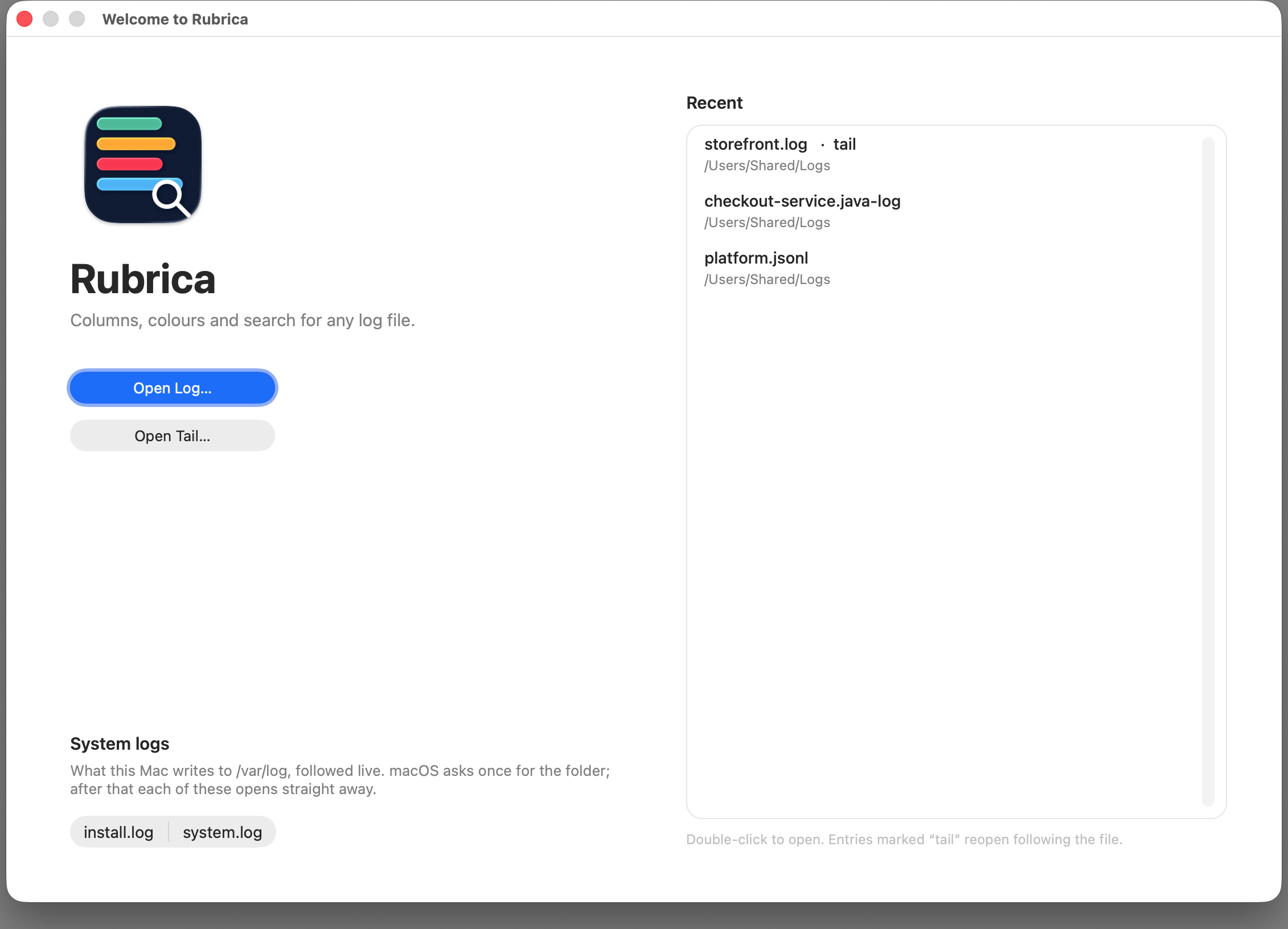
A welcome window instead of an Open panel
Launch with nothing to open and you get a welcome window: Open Log, Open Tail, the system logs, and your recent files, with the tailed ones marked. Close the last document and it comes back. Close it, and the app quits.
Boundaries
What it does not do
Worth knowing before you download it.
- It does not chart, total up or alert. It is a viewer. If you want dashboards, you want a different tool.
-
It does not read Windows Event Log
(
.evtx), or any other binary log format. Everything it reads is text, or a container with text inside it. -
It does not decompress
zstd,bz2,xzorlz4. The set isgz,tar,tgzandzip, and it is deliberately closed. - It has no remote opening: no SSH, no URLs. It reads files from your Mac, including mounted network volumes.
- macOS only, for now. Nothing has been released for any other system.
Requirements
Getting it
macOS 13.0 Ventura or later · Universal binary, Apple silicon and Intel · Free · Sandboxed · No account · No network code · Nothing collected
Support
Getting help
Email hello@roundtoe.com and a person will answer.
If you are reporting a format that will not parse,
File > Open Settings Folder opens the directory holding
your formats. Sending the one you were using, plus a few lines of the log if you can
share them, saves a lot of back and forth.
Privacy
Rubrica collects no data
None at all, and nothing anonymised either. The app has no networking in it, so there is nothing that could send anything anywhere.
- Data collected
- None. In the App Store's own terms, Data Not Collected.
- Tracking
- No analytics, no telemetry, no crash reporting, no advertising, and no code from anybody else.
- Accounts
- None. There is nothing to sign in to and no licence to check.
- Network
- The app never connects to anything itself. Choosing a link in the menu hands it to your browser, and only when you choose it.
- Your files
- Rubrica runs in Apple's sandbox and reads the files you open with it, and nothing else. Your logs, the formats you write, your saved sessions and your settings stay on your Mac.
- Children
- Rubrica is not directed at children, and collects nothing from anybody of any age.
- If you email us
- The only thing we ever receive is what you choose to put in an email. It is used to answer you, and for nothing else.
- Changes
- If this ever changes, this page will say so before the version that changes it is released.
Applies to Rubrica for macOS, version 1.1.0. Last updated 14 September 2026. Roundtoe's site privacy notice covers roundtoe.com and the accounts on it, which Rubrica does not use and does not have.